

Built around your SOPs
Every company has its own SOPs and way of working. We talk through your needs first, then design the solution. The system adapts to your business, not the other way round.
Integrated Accounting Software
Purchasing, sales, inventory and finance in one system. Workflows and forms follow your company's SOPs.
Our Product
EQUAL System is integrated accounting software. You record a transaction once and it flows into stock, payables, receivables and the financial reports. Nobody re-enters it in another department.
Workflows and forms adapt to your company's SOPs.
Android and iOS app for your field team.
Sales from your POS (for example Raptor) sync in through the API.
Salesman & Warehouse for distribution businesses.
Advantages
Every company has its own SOPs and way of working. We talk through your needs first, then design the solution. The system adapts to your business, not the other way round.
A perpetual licence with no monthly rent. The first year includes technical support and app updates, which makes long-term budgeting easier.
Register everyone, from branch admins and warehouse staff to finance, with no per-account fee. The licence counts users active at the same time, not your headcount.
Keep your data on your own server (on-premise) or in the cloud. Access rights go down to single actions, such as who may approve or cancel a transaction.
EQUAL is already integrated with Raptor POS. Items, sales, payment methods and returns come into EQUAL with no retyping. We are open to integrating other POS systems and business apps as well.
Using Raptor? Ask about the integrationData migration and initial training come with the purchase. Once you are live, our own technical support team handles issues through a WhatsApp group, with no third party in between.
Where Every Number Matches
In EQUAL every transaction creates its own journal. Once a sale is recorded, stock goes down, a balanced journal is posted and the financial statements update with it. Nobody copies figures into another file, and every journal traces back to its transaction.
From a sales invoice, or from an integrated POS.
SI-LOC-00001/2609/00004
Raw materials too, when the product has a recipe.
Stock
Accounts follow the settings you have defined.
Journal
Debits equal credits
The balance sheet and P&L include the new transaction right away.
Report
Illustration only. Journal accounts follow your own chart of accounts.
Why EQUAL
They usually surface at month-end close. Sales figures don't match stock, and the stock in the system doesn't match what's on the shelf.

Purchasing, sales and stock live in separate files and get consolidated by hand every month.
Orders through payments are recorded in one system.

You find the gap when goods are about to ship, and tracing the cause is hard.
Barcode scans on every inbound and outbound move, plus stock taking.

Balance Sheet, Profit & Loss and tax reports are still put together in Excel.
112 reports generated straight from transactions.

Visits, deliveries and collections happen outside the office. The only proof is a phone call or a chat message.
Geotagged check-ins with on-site photos.
Sales from the tills get retyped into the books.
POS integration, Raptor included, brings in sales, payments and returns without retyping.
A supplier bill only surfaces when the supplier calls.
The calendar shows payables, receivables and deliveries coming due on one screen.
Software costs go up with every new hire.
Unlimited user accounts, no per-account fee.
Hard to control who can change a discount or cancel a transaction.
Access rights can be set per module and even per action.
The current software doesn't fit the company's SOPs.
EQUAL's workflows and forms are adjusted to the way you work.
Module
Click a module to see its features.
Purchasing of goods, services and fixed assets.
Orders, deliveries, invoices and returns.
Stock control, transfers and production.
Payables, receivables, cash and bank.
Adjustment journals outside transactions.
Asset register, disposal and transfer.
Sales sync from your POS, for example Raptor.
Master data and system settings.
Down payments or deposits, to suppliers or from customers.
Receipt notes, scheduled payments and settling payables.
Receive payments for completed sales.
Cash in and out, giro, bank reconciliation and petty cash.
Adjustment and manual journals outside system transactions.
Asset register, monthly depreciation, maintenance, disposal and transfer.
Syncs with POS Raptor. Each POS sale creates the journal entry, stock out and cash in.
Screenshot
Taken straight from the app, using demo data. Pick a category, then click a screenshot to enlarge it.
Report
Reports read straight from transactions, so there's nothing to rebuild in Excel.
Distribution Add-on
The EQUAL mobile app for salespeople, drivers, customers and warehouse teams.
Why This Add-on
In distribution, a lot of the work happens outside the office: store visits, deliveries, collections. This add-on puts EQUAL on the phones of the people doing that work.
Check-ins are matched to the customer's location by geotag, with an on-site photo.
Vehicles, load capacity, drivers and drop order are set in the Shipment menu.
A billing schedule per salesperson. Customers can confirm the payments that get entered.
User Roles
Your customers use the EQUAL mobile app too, to approve orders and confirm deliveries.
Mobile App
Visits, sales orders, collections and deliveries are recorded in the field and show up in EQUAL at the office right away.
Visit schedule, check-in, orders and collections.
Delivery schedule and proof of handover.
Activity
Salespeople and drivers log every customer visit from their phone. Admins and supervisors follow along from the office.
Done when the visit is finished, then on to the next customer.
Workflow
The standard flow for distribution businesses. Steps can be adjusted to your SOPs.
Create an Activity: a salesperson's visit schedule. Types are Quotation, Sales Order, Follow-up or Billing.
Check the assigned schedule in the Activity menu.
Check in at the customer's location by geotag. Enter open or closed, a note and a visit photo.
Enter the Sales Order. The customer approves it in the mobile app (Customer Approval), then the salesperson checks out.
Approve the Sales Order the customer confirmed so it moves on to delivery.
Schedule the delivery in Shipment based on order volume, vehicles, available drivers and drop order.
Confirm the assignment in Shipment against orders and route. The Delivery Order is generated automatically.
Check in at the delivery point with open or closed status, a note and a photo.
Shipment Acceptance. Record what was received, including returns or replacements. The customer confirms and the driver checks out.
Approve the driver's Shipment Acceptance, then close the Shipment once every drop is done.
Generate Sales Invoices from completed deliveries.
Schedule billing in the Billing menu. Assign a salesperson, set the date, then create the schedule in Activity.
Check the schedule in Activity, then confirm the assignment in Billing with the document status Match or Mismatch.
Check in at the collection point with open or closed status, a note and a photo.
Enter the payment through Receivable Payment or Giro/Cheque. The customer can confirm it.
Confirm the payment the salesperson entered.
Close the billing, then check out and head to the next stop.
Supporting Features
Transactions entered by a salesperson or admin are verified by the customer in EQUAL mobile. Only then do they move to the next step.

Every document printed from EQUAL has a QR code. Scan it to verify the document and find where the paper copy is filed.

Choose which transactions require a photo when a salesperson enters them.
Warehouse
Every item gets a barcode generated by the system. The warehouse team scans it with a phone when goods come in or go out.
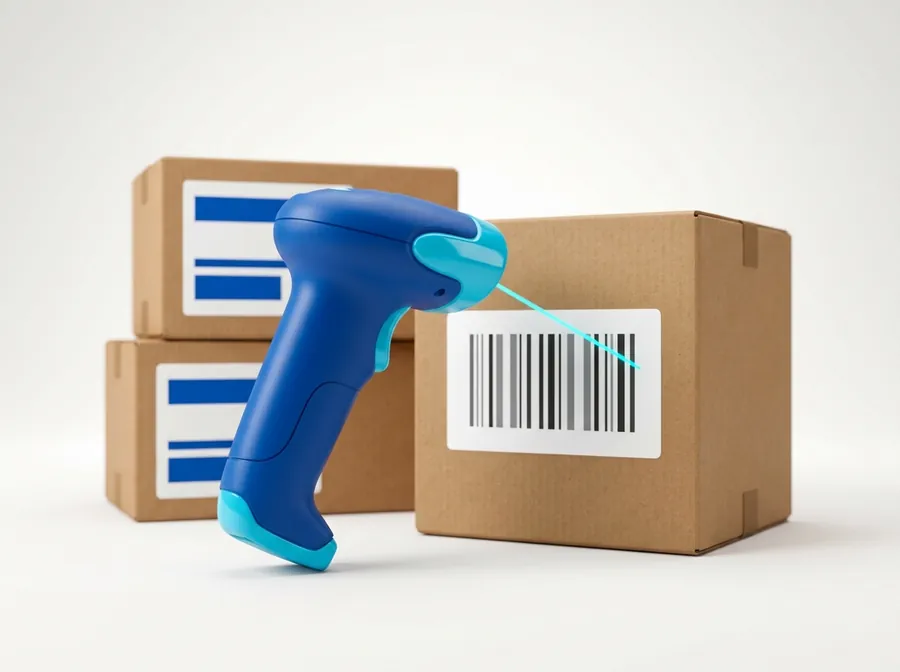
Connected to Purchase Receipt, Delivery Order and Item Transfer.
Inbound from a Purchase Order
Outbound from a Sales Order
Stock adjustment, in or out
Stock take in the warehouse
Who it's for
Follow stock and performance per location, transfer goods between branches and sync data from head office.
Intercompany transactions, from PO to invoice, link up automatically without retyping.
Every sale takes raw materials out of stock by the recipe, so cost of goods sold is measured properly.
Sales, payment methods and returns from the POS are processed in EQUAL. For Raptor users the integration is already there.
Not quite like any of these? Tell us what you need and we'll tell you honestly whether it fits.
Pricing
It's the question we get most often. The answer depends on what you need, so there is no single price for everyone. After the demo, once we understand how you work, we prepare a detailed proposal covering modules, customisation, the implementation plan and the payment schedule.
After the first year, support and updates continue through an annual maintenance plan.
How we work together
Tell us how your business runs, through the form or on WhatsApp.
Online or in person. We walk you through EQUAL and answer every question, with no time limit.
After the demo you receive a proposal with the scope, the implementation plan and the quote.
We sign the agreement, with payment spread over the agreed instalments.
We move your data, adapt the system and train your team.
After go-live, our technical support team helps you through a WhatsApp group.
Included. We move the data from your old software or Excel files, so you don't start from zero.
Initial training is included. Follow-up training online is free of charge.
Handled by EQUAL's own support team through a WhatsApp group. Monday to Friday 09:00 to 17:00 and Saturday 09:00 to 12:00 (WIB).
Pricing depends on each company's needs, so we don't publish a single list price. Book a demo first. Once we understand what you need, we prepare a proposal and quote that fit the size of your business. What doesn't change: the licence is perpetual and there is no per-user fee.
A perpetual licence, data migration from your old system, initial training for your team, and technical support and app updates for the first year.
There is no monthly fee for the licence. After the first year, support and app updates continue through an annual maintenance plan. If your data runs in the cloud, server costs are charged separately from the licence.
Accounts are unlimited and there is no per-account fee. The licence counts users who are active at the same time, and that capacity is sized to your needs in the proposal.
Yes, and data migration is part of the purchase. Our technical team moves the data for you, so you don't start from scratch.
Initial training is included, so every user learns EQUAL for their own role. After that, follow-up training online is free. In-person sessions beyond the initial training can be scheduled, with accommodation costs charged per day.
Yes. EQUAL is already integrated with Raptor POS, covering items, sales, payment methods and returns. We're happy to discuss integrating other POS systems or apps.
Yes. We go through the customisation you need with you first, then recommend the approach that fits best. Modules for F&B, distribution and retail are ready to use, and other industries can be adapted.
You decide: on your own server (on-premise) or in the cloud. Both come with access rights, so each user only sees and changes what their role allows.
Yes. EQUAL supports many locations and warehouses, syncing data from head office to branches, and intercompany transactions within a group.
EQUAL's own technical support team, not a third party. You raise issues in the support WhatsApp group during service hours, Monday to Friday 09:00 to 17:00 and Saturday 09:00 to 12:00 (WIB). If a fix to the system is needed, how long it takes depends on how complex it is.
Of course. The free demo can be online, or in person in the Yogyakarta region and Surabaya. There is no time limit, so every question can be answered before you decide.
Demo
Tell us how your business runs, and send sample documents if you have them. We'll build the demo around your own workflow.